Adjusting the Cutter blade extension
When installing a new cutting blade into the holder it is very important to ensure that the correct
blade extension is set.
If it is not set correctly it can cause poor cutting quality, inconsistent cutting depths across the
material, which could damage the cutter protection strip, and could even damage the blade.
|
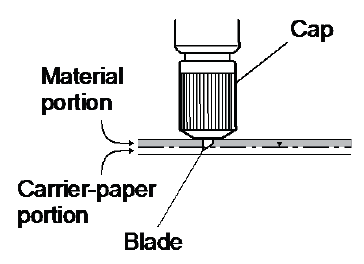
After the new blade is fitted inside the holder, the cap needs to be adjusted so that there is only as much blade extended as the thickness of your material minus the backing paper. |
 |
|
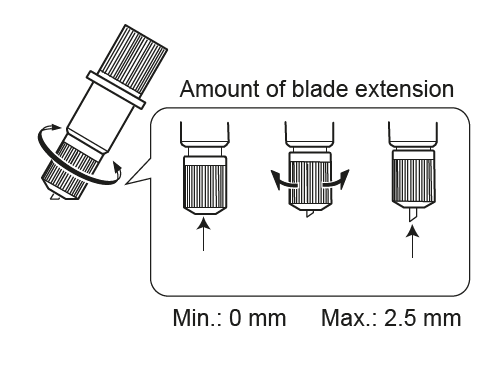
To adjust the blade extension turn the cap clockwise to increase the blade amount showing, and turn anticlockwise to reduce it |
 |
|
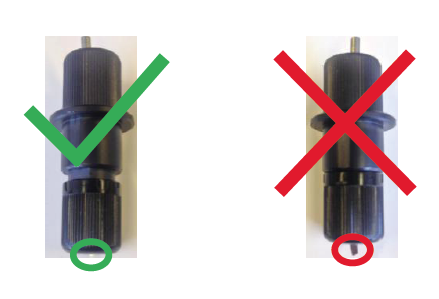
Below is an example of the correct blade extension for a standard vinyl |
 |